 By Alex Byte
As I sit here, surrounded by wires and circuit boards, I’m reminded of the countless hours I spent as a kid trying to build my own computer from scratch. My friends and I would scour the internet for guides, only to find that most of them were either too vague or too technical. That’s why I’m excited to share with you a guide to choosing pc components that actually makes sense. I’ve been in your shoes, and I know how overwhelming it can be to navigate the world of PC building. But trust me, with the right guidance, you can create a machine that’s tailored to your needs and budget.
In this article, I promise to cut through the noise and provide you with honest, no-hype advice on how to choose the perfect PC components for your needs. We’ll dive into the world of CPUs, GPUs, and RAM, and I’ll share my own experiences, including the mistakes I’ve made along the way. By the end of this guide, you’ll be equipped with the knowledge to make informed decisions and build a PC that’s truly yours. So, let’s get started on this journey, and I’ll show you that choosing PC components doesn’t have to be a daunting task. With a guide to choosing pc components like this one, you’ll be well on your way to creating a powerful machine that meets your unique needs.
Table of Contents
Guide Overview: What You'll Need
Total Time: 2 hours 30 minutes
Estimated Cost: $500 – $2000
Difficulty Level: Intermediate
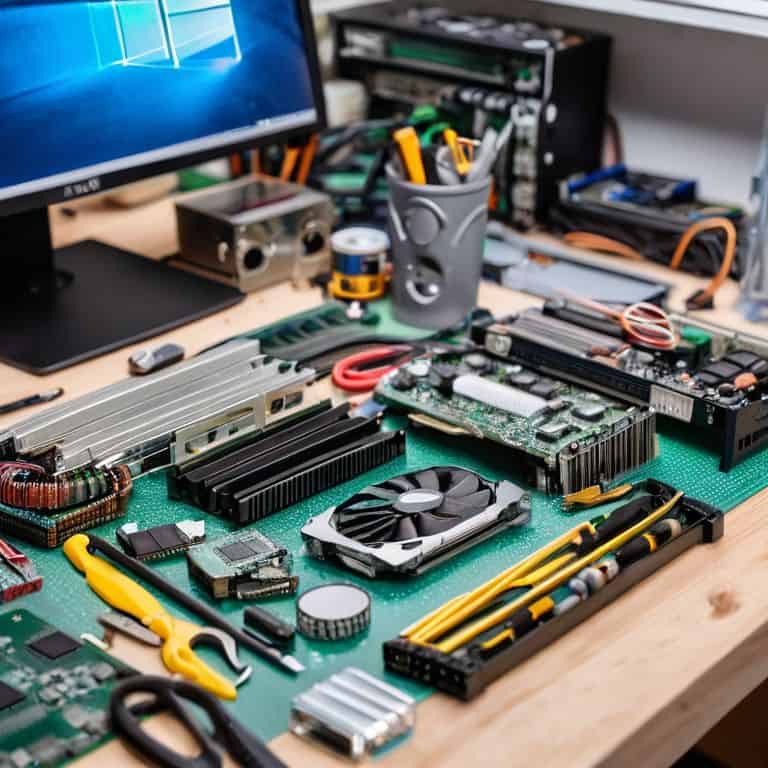
Tools Required
- Screwdriver (for removing computer case screws)
- Torx Driver (for removing CPU cooler screws)
- Pliers (for gripping small components)
- Thermal Paste (for applying to CPU die)
Supplies & Materials
- CPU Choose from AMD or Intel
- Motherboard Ensure compatibility with chosen CPU
- RAM At least 16 gigabytes recommended
- Storage Drive Consider a solid state drive for faster performance
- Power Supply Wattage depends on system configuration
- Graphics Card Optional, but required for gaming or graphics-intensive applications
- Computer Case Must accommodate chosen motherboard and components
Step-by-Step Instructions
- 1. First, let’s start with the brain of your operation: the CPU (Central Processing Unit). When choosing a CPU, consider the type of tasks you’ll be performing most often. If you’re into gaming or video editing, look for a CPU with a high number of cores and threads, as this will significantly improve your computer’s multitasking capabilities. I’m particularly fond of the latest Intel Core i9 or AMD Ryzen 9 series for their exceptional performance.
- 2. Next, we need to think about memory and storage. For RAM, I recommend aiming for at least 16 GB, but 32 GB or more is ideal if you can afford it. This will ensure that your computer can handle multiple applications running simultaneously without a hitch. When it comes to storage, consider a combination of a fast NVMe SSD for your operating system and programs, and a larger HDD for storing files and data.
- 3. Now, let’s talk graphics. If you’re a gamer or into graphics design, a dedicated graphics card is a must. Look for a card with a good balance between performance and power consumption. NVIDIA GeForce and AMD Radeon are top contenders in the graphics card market, with their high-end models offering ray tracing, AI-enhanced graphics, and more. For those on a budget, consider a computer with integrated graphics, which have improved significantly in recent years.
- 4. The motherboard is the main circuit board of your computer, connecting all the hardware components together. When choosing a motherboard, ensure it is compatible with your CPU and has enough slots for RAM and expansion cards. Look for features like Wi-Fi, USB ports, and high-quality audio capacitors to enhance your overall computing experience. I’m a fan of ASUS and MSI motherboards for their quality and versatility.
- 5. Power supply is another critical component that’s often overlooked. You’ll want a power supply that can handle the power requirements of all your components. Calculate the total wattage needed and choose a power supply with some headroom for future upgrades. A modular power supply can also make cable management much easier, keeping your computer’s internals clean and organized.
- 6. For the casing, consider the size, material, and features that matter to you. Aesthetics play a role, but also think about cooling, dust filtration, and ease of access for upgrades. I prefer cases with good airflow and cable management options, as these can significantly impact the overall performance and noise level of your computer.
- 7. Finally, consider the cooling system for your computer. This can range from the stock cooler that comes with your CPU to a custom liquid cooling system. If you plan on overclocking your CPU or running demanding applications, a high-quality cooling system is essential to prevent overheating and ensure your components last longer. Airflow and case fans can also make a big difference in keeping your computer at a safe temperature.
A Guide to Choosing Pc Components
As I delve into the world of PC components, I’m reminded of the importance of building a gaming pc on a budget. It’s not just about throwing money at the latest and greatest parts, but about finding a balance between performance and affordability. When choosing components, it’s essential to consider the pc component compatibility checklist to ensure that all the parts work seamlessly together.
One of the most critical components is the CPU cooler, and how to choose the right cpu cooler can be a daunting task for beginners. I’ve found that understanding the different types of coolers, such as air or liquid cooling, can make a significant difference in performance. Additionally, overclocking for beginners can be a great way to squeeze out extra performance from your components, but it requires careful consideration of the system’s capabilities.
When it comes to upgrading, tips for upgrading pc ram can be incredibly helpful. I’ve learned that it’s not just about adding more RAM, but also about ensuring that the new modules are compatible with the existing system. Understanding pc motherboard form factors is also crucial to ensure that the new components fit and function properly. By considering these factors, you can create a powerful and efficient system that meets your needs and stays within your budget.
Building a Gaming Pc on a Budget Odyssey
Building a Gaming PC on a Budget Odyssey
As I delve into the world of budget gaming PCs, I’m reminded of my own humble beginnings with limited tech access. Now, I’m excited to share my insights on how to build a powerful gaming rig without breaking the bank. With a little creativity and research, you can find affordable components that still pack a punch. I recommend exploring last year’s models or refurbished options for significant savings. By doing so, you can allocate more resources to the components that matter most, such as a high-performance GPU or a speedy CPU. This approach allows you to strike a balance between budget and performance, making your gaming PC dreams a reality.
Overclocking for Beginners Cpu Cooler Secrets
As I delve into the realm of overclocking, I’m reminded of the thrill of pushing boundaries. For beginners, it’s essential to understand the role of CPU coolers in unlocking your processor’s full potential. A good CPU cooler can make all the difference, allowing you to crank up the clock speeds without overheating. I’ve experimented with various coolers in my own 3D printing workshop, and I can attest to the importance of finding the right one.
When selecting a CPU cooler, look for models with high thermal conductivity and ample heat dissipation. Liquid cooling systems, in particular, offer impressive performance. By choosing the right cooler, you’ll be able to overclock with confidence, squeezing out extra performance from your CPU. It’s a delicate balance, but with the right tools and knowledge, you’ll be well on your way to unlocking your PC’s hidden potential.
Navigating the PC Component Maze: 5 Essential Tips
- Consider Your Purpose: Aligning Components with Your Computing Needs
- CPU vs. GPU: Understanding the Brain and Brawn of Your PC
- Memory Matters: Ram and Storage Solutions for a Seamless Experience
- Power Play: Choosing the Right Power Supply for Your Build
- Future-Proofing: Selecting Components with Upgradeability in Mind
Key Takeaways for Your Dream PC
Embrace the thrill of the hunt for the perfect components, as it’s a journey that balances performance, budget, and personal preference to create a machine that’s truly yours
Understand that building a gaming PC on a budget is not just about cutting costs, but about making strategic choices that optimize your spending for the best possible gaming experience
Remember, overclocking is not a dark art, but a science that, with the right CPU cooler and a bit of patience, can unlock your computer’s hidden potential and take your gaming or video editing to the next level
Navigating the Digital Frontier
Choosing the right PC components is not just about specs and speeds, it’s about crafting a symphony of innovation that harmonizes your needs, budget, and imagination – a true marriage of human intuition and artificial intelligence.
Alex Byte
Embracing the Future of Tech
As we conclude this journey through the realm of PC components, it’s essential to recap the key takeaways. We’ve explored the crucial steps in selecting the perfect components for your dream PC, from CPUs to graphics cards. Our detour into budget-friendly options for gaming PCs and the secrets of overclocking have equipped you with the knowledge to make informed decisions. Whether you’re a novice or an experienced tech enthusiast, this guide has been your compass, navigating the complex world of PC building.
As you embark on your own technological odyssey, remember that the true magic lies not just in the components, but in the boundless possibilities they offer. The world of tech is ever-evolving, and by embracing this evolution with curiosity and optimism, you’ll not only stay ahead of the curve but also contribute to shaping the future. So, go forth, build, create, and inspire – the digital frontier awaits, full of wonder and discovery.
Frequently Asked Questions
What are the most important factors to consider when choosing PC components for a specific use case, such as gaming or video editing?
When choosing PC components, I consider the specific demands of the task – for gaming, it’s all about the GPU and CPU combo, while video editing relies heavily on multi-core processors and ample RAM.
How do I balance my budget with the need for high-performance components, and are there any affordable alternatives that won't compromise on quality?
As a budget-conscious tech enthusiast, I’ve found that prioritizing needs over wants is key. Focus on the essentials like a strong CPU and sufficient RAM, then explore affordable alternatives for other components, such as refurbished or last-gen graphics cards, to achieve a balance between budget and performance.
What are some common mistakes to avoid when selecting PC components, and how can I ensure that all the parts are compatible with each other?
When selecting PC components, beware of mismatched RAM speeds, incompatible CPU and motherboard combos, and insufficient power supply. To ensure compatibility, I always double-check the specs and use online tools to verify that all parts play nicely together – it’s like 3D printing a gadget, all pieces must fit perfectly!
